



Arabic Madrasa Bradford 2026-27 Yr 1
This course is for first year students at the Bradford Mustafa Mount campus, specifically Level 1 (L1) of the Arabic Madrasa program in the 2026 batch.
Apply Now
Arabic Madrasa Bradford 2026-27 Yr 2
This course is for second year students at the Bradford Mustafa Mount campus, specifically Level 2 (L2) of the Arabic Madrasa program in the 2026 batch.
Apply Now
Arabic Madrasa Bradford 2026-27 Yr 3
This course is for third year students at the Bradford Mustafa Mount campus, specifically Level 3 (L3) of the Arabic Madrasa program in the 2026 batch.
Apply NowArabic Madrasa Liverpool 2026-27 Yr1
This course is for first year students at the Bradford Mustafa Mount campus, specifically Level 1 (L1) of the Arabic Madrasa program in the 2026 batch.
Apply NowArabic Madrasa Liverpool 2026-27 Yr2
This course is for second year students at the Bradford Mustafa Mount campus, specifically Level 2 (L2) of the Arabic Madrasa program in the 2026 batch.
Apply NowArabic Madrasa Liverpool 2026-27 Yr3
This course is for third year students at the Bradford Mustafa Mount campus, specifically Level 3 (L3) of the Arabic Madrasa program in the 2026 batch.
Apply NowArabic Madrasa Distance Learning 2026-27 Yr1
This course is for first year students at the Bradford Mustafa Mount campus, specifically Level 1 (L1) of the Arabic Madrasa program in the 2026 batch.
Apply NowArabic Madrasa Distance Learning 2026-27 Yr2
This course is for first year students at the Bradford Mustafa Mount campus, specifically Level 1 (L1) of the Arabic Madrasa program in the 2026 batch.
Apply NowArabic Madrasa Distance Learning 2026-27 Yr3
This course is for third year students at the Bradford Mustafa Mount campus, specifically Level 3 (L3) of the Arabic Madrasa program in the 2026 batch.
Apply Now
The Arabic Madrasa is a part-time school of Arabic Literacy where students are given the opportunity to learn to read, write and speak in the Arabic language.
The course is unique in that emphasis is placed on speaking the language right from the outset. One of the key aims is to immerse the student in the language such that by the end of the course students can begin a lifetime journey in tasting the sweetness of the Quran.

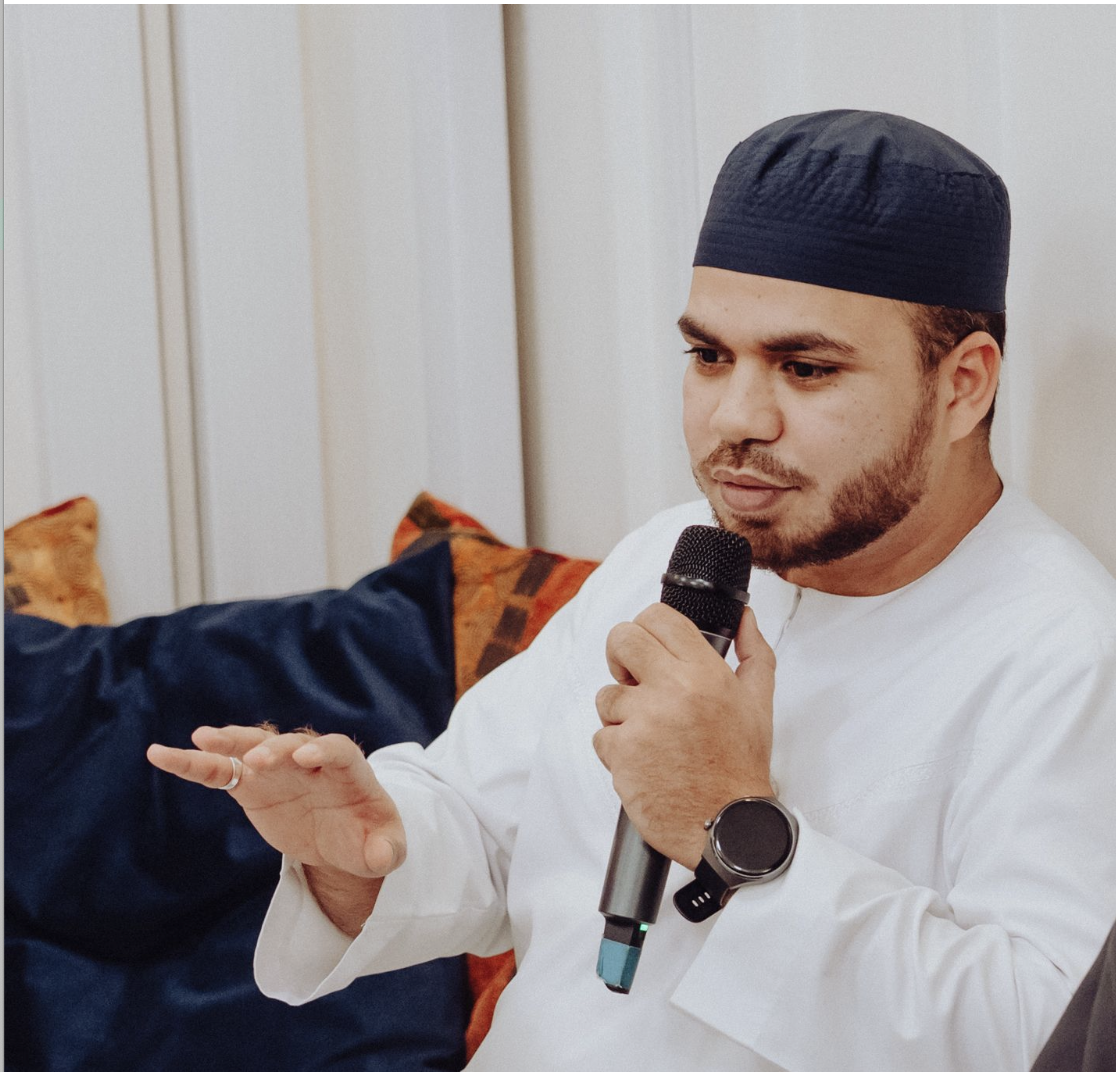
In 2010 Shaykh Mustafa left for the blessed lands of Tarim in order to seek sacred knowledge. For a year, he immersed himself in the study of Arabic. Guided by an unyielding desire to be closer to Allah's words, he then embarked upon memorising the noble Qur'ān.
Under the guidance of the venerable Habib Umar bin Hafiz, he undertook a remarkable 10- year program studying the Islamic sciences including Qur'ānic Tafseer, Shafi Jurisprudence, Hadith and Arabic Grammar.
After graduating in 2021, he went on to teach Qur'ānic Tafseer, Fiqh of Inheritance and the Arabic language at Dar al Mustafa. Whilst teaching at Dar al Mustafa, he studied the 7 modes of recitation with Sanad at Mahad al Aydarus Qur'ān school in Tarim.
Shaykh Mustafa is now back in the UK and has continued to spread the knowledge taken from the blessed lands of Tarim.
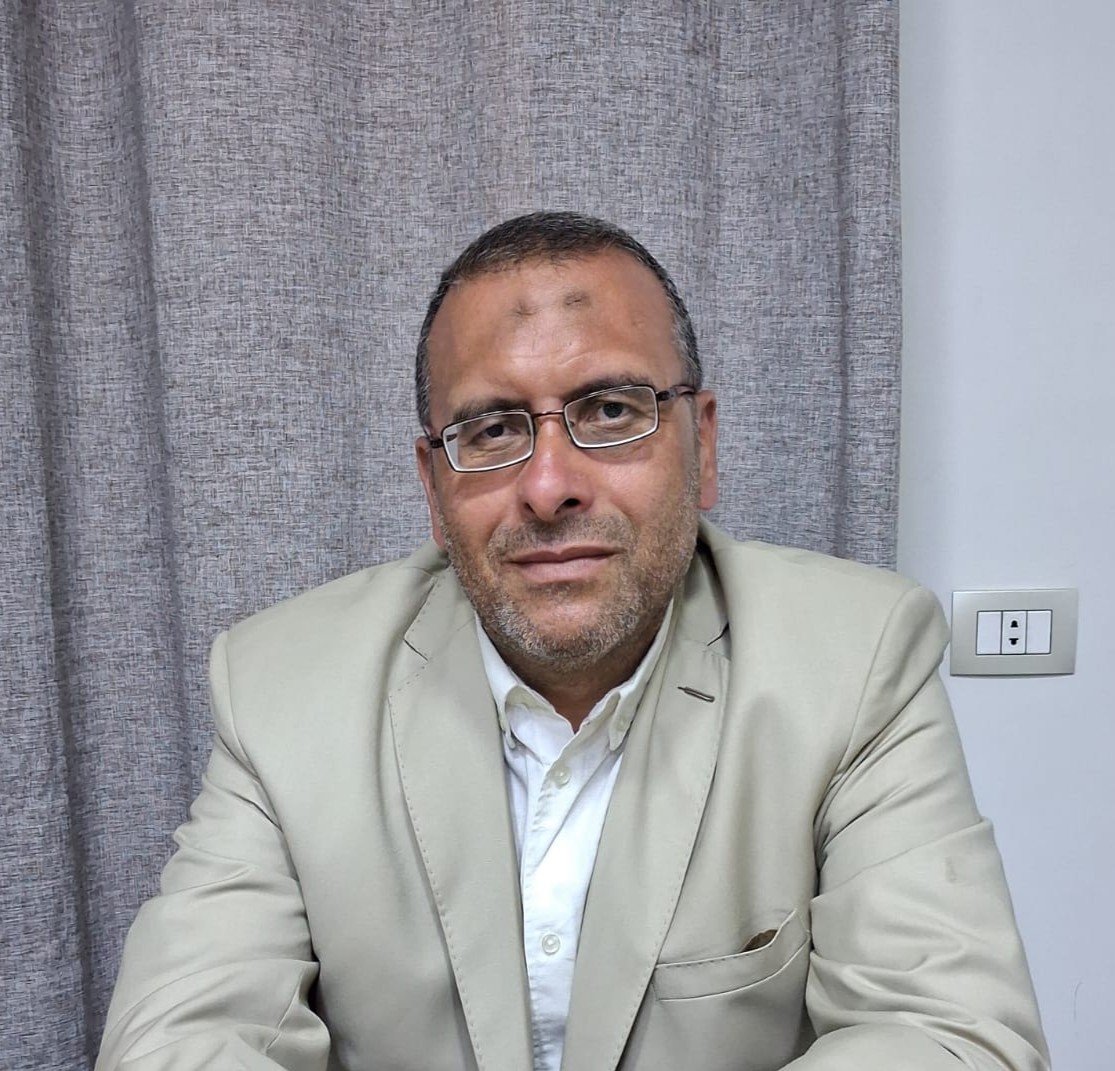
Ustadh Yasir Abdul Basit is from Egypt. In the centre of Arabic Language, he studied Arabic Language and graduated from Zaqariq University in 1994.
Since then, for nearly 30 years, he has been teaching Arabic. He has worked particularly on writing children's books on the Arabic Language. He has connected chains of authorisation back to the authors in some key books in Arabic
language such as Ajrumiyya, Qatr Nada and Alfiyya Ibn Malik.
He currently heads a language institute, Tibyan, which specialises in teaching Arabic to
non-Arabic speakers. He has worked with students who have completed the Arabic Madrasa course for the last couple of years.
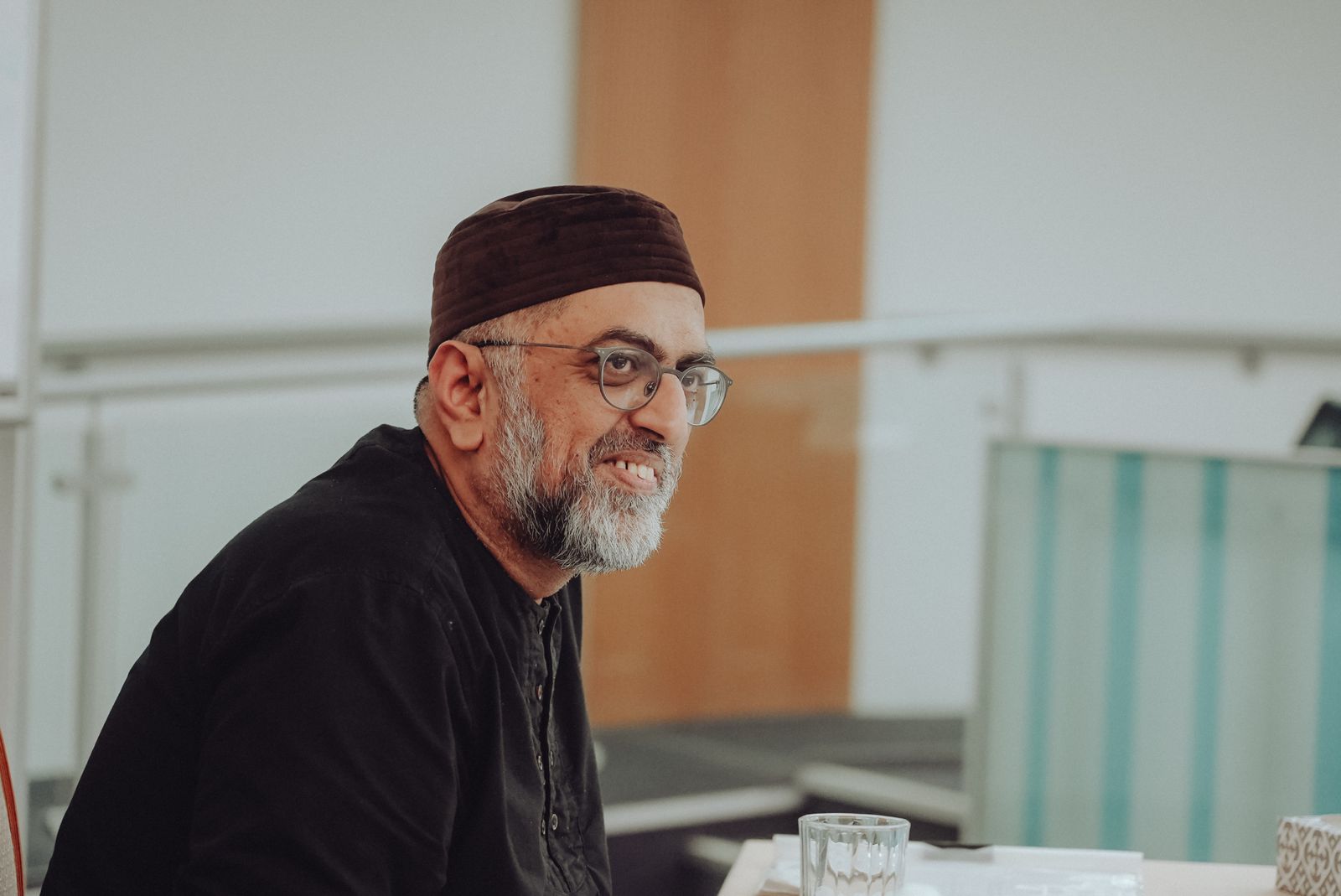
Shaykh Haroon began his studies in Liverpool with Shaykh Hamza Yusuf and later studied Arabic in France. After a decade balancing work and Islamic studies, he travelled to Syria in 2007. There he sat in the classes with some of the greatest scholars of Damascus including the likes of Shaykh Saeed Ramadan al-Buti. His teachers also include Shaykh Muhammad Jum'ah and Shaykh Samir al-Nass.
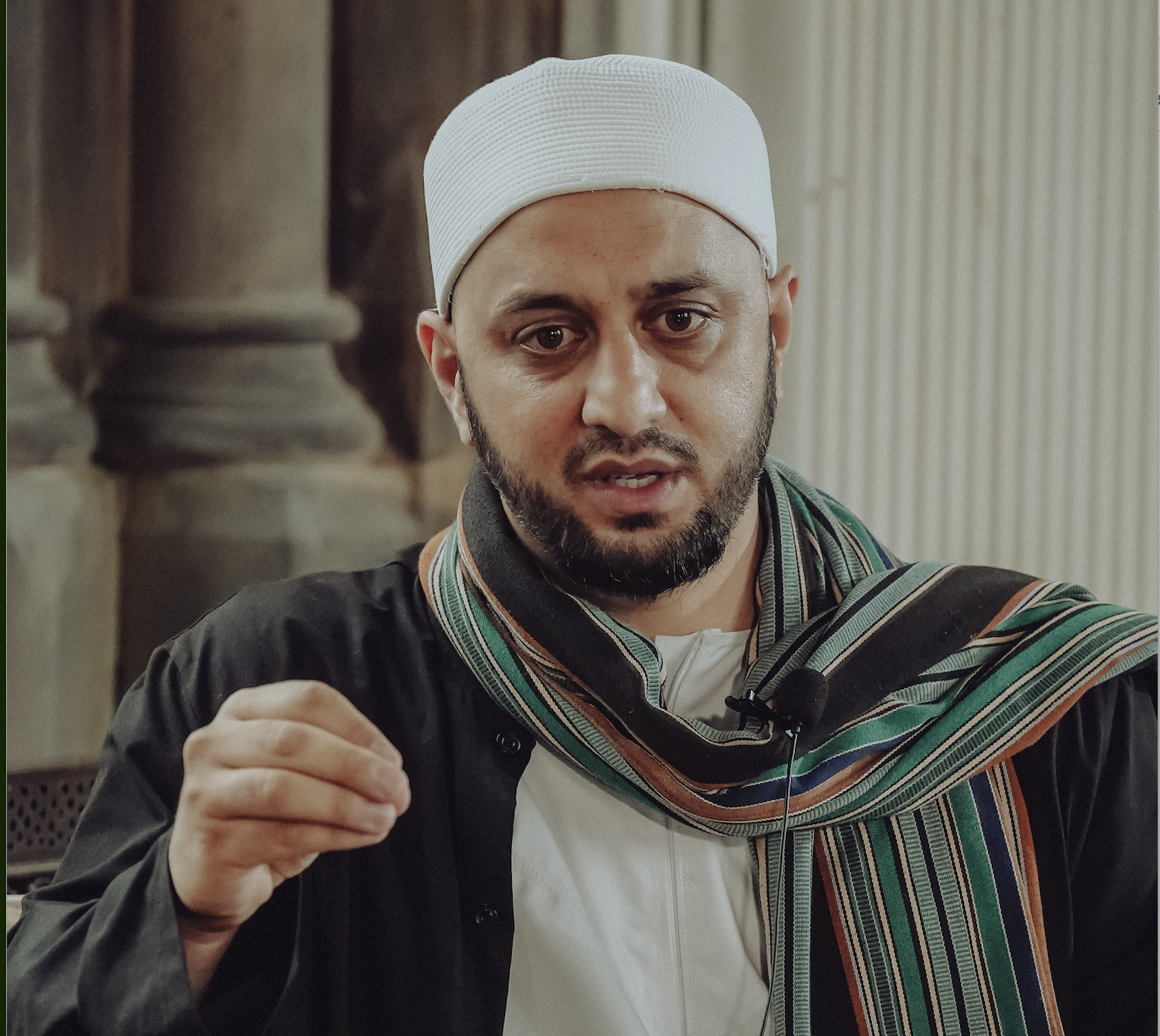
Shaykh Amir began his pursuit of knowledge in Liverpool with Shaykh Haroon Hanif and Shaykh Sirajuddin in 2001. He continued his studies with Shaykh Ibrahim Osi-Efa in 2006 which then led him to travel to Yemen. He was blessed to study at Dar al- Mustafa under al-Habib Umar b. Hafiz, al-Habib Kazim al-Saqqaf, al-Habib Muhammad al-Aydarus, Shaykh Umar al-Khatib and Shaykh Salim Bahraysh. Whilst in Yemen, he assisted with the annual Dowra program. He also set up various programmes such as 'The Rights of the Deceased' course with the Mufti of Tarim, Habib Ali al-Mashour and a course for mothers under the supervision of Habib Umar. He is currently a resident teacher at Greensville Trust where he teaches on the Arabic Madrasah course and is the lead teacher for the Rawḍah Madrasah in Liverpool since its inception in 2017.
Ustadh Yasir Abdul Basit is from Egypt. In the centre of Arabic Language, he studied Arabic Language and graduated from Zaqariq University in 1994.
Since then, for nearly 30 years, he has been teaching Arabic. He has worked particularly on writing children's books on the Arabic Language. He has connected chains of authorisation back to the authors in some key books in Arabic
language such as Ajrumiyya, Qatr Nada and Alfiyya Ibn Malik.
He currently heads a language institute, Tibyan, which specialises in teaching Arabic to
non-Arabic speakers. He has worked with students who have completed the Arabic Madrasa course for the last couple of years.
Shaykh Haroon began his studies in Liverpool with Shaykh Hamza Yusuf and later studied Arabic in France. After a decade balancing work and Islamic studies, he travelled to Syria in 2007. There he sat in the classes with some of the greatest scholars of Damascus including the likes of Shaykh Saeed Ramadan al-Buti. His teachers also include Shaykh Muhammad Jum'ah and Shaykh Samir al-Nass.
Shaykh Amir began his pursuit of knowledge in Liverpool with Shaykh Haroon Hanif and Shaykh Sirajuddin in 2001. He continued his studies with Shaykh Ibrahim Osi-Efa in 2006 which then led him to travel to Yemen. He was blessed to study at Dar al- Mustafa under al-Habib Umar b. Hafiz, al-Habib Kazim al-Saqqaf, al-Habib Muhammad al-Aydarus, Shaykh Umar al-Khatib and Shaykh Salim Bahraysh. Whilst in Yemen, he assisted with the annual Dowra program. He also set up various programmes such as 'The Rights of the Deceased' course with the Mufti of Tarim, Habib Ali al-Mashour and a course for mothers under the supervision of Habib Umar. He is currently a resident teacher at Greensville Trust where he teaches on the Arabic Madrasah course and is the lead teacher for the Rawḍah Madrasah in Liverpool since its inception in 2017.
Ustadh Yasir Abdul Basit is from Egypt. In the centre of Arabic Language, he studied Arabic Language and graduated from Zaqariq University in 1994.
Since then, for nearly 30 years, he has been teaching Arabic. He has worked particularly on writing children's books on the Arabic Language. He has connected chains of authorisation back to the authors in some key books in Arabic
language such as Ajrumiyya, Qatr Nada and Alfiyya Ibn Malik.
He currently heads a language institute, Tibyan, which specialises in teaching Arabic to
non-Arabic speakers. He has worked with students who have completed the Arabic Madrasa course for the last couple of years.
Setting the Foundations
The student will be able to understand and converse at an elementary level
- Language Learning
- Arabic Only Classes
- Review Sessions
- Mentors
7pm – 8pm
7pm – 8pm
Online
Fluency
The student reaches end of year with a level of fluency in the language
- Language Learning
- Arabic Only Classes
- Review Sessions
- Study of Lectures & Khutbas
8:30 – 9:30pm
8:30 – 9:30pm
Online
Language of Revelation
The student is prepared for further studies in Arabic
- Language Learning
- Arabic Only Classes
- Review Sessions
- Islamic Disciplines
7pm – 9pm
7pm – 9pm
7pm – 9pm
Online
Bradford
Arabic Madrasah · Bradford
Liverpool
Arabic Madrasah · Liverpool
Distance Learning
Arabic Madrasah · Online

“And whoever relies upon Allah – then He is sufficient for him.”
[Qur'an 65:3]
The Retreat is a dedicated opportunity for students to step away from the distractions of daily life and reconnect with their faith, purpose, and community. Set within a peaceful environment, it provides a space for reflection, learning, worship, and personal growth.
Participants may attend the Retreat either:
- Residential
- Day Visitor
- Online
Each day follows a balanced schedule inspired by the Prophetic tradition, featuring congregational prayers, classes, gatherings of remembrance, wholesome meals, and outdoor activities.
The Retreat aims to nurture both body and soul, allowing attendees to strengthen their relationship with Allah, deepen their knowledge, and return to their daily lives with renewed clarity, gratitude, and purpose.
Nestled within the nurturing framework of the Greensville Trust, the Arabic Madrasa extends its graceful journey into the luminous heart of Islamic literacy through a flexible and accessible distance learning programme, offering a structured path of orthodox and holistic knowledge for the adult seeker.
This student-centred sanctuary of learning thoughtfully combines venerable tradition with contemporary online teaching methods, creating an engaging and supportive environment where students can pursue sacred knowledge from wherever they are. Through live instruction, guided study, and carefully curated learning resources, profound understanding is cultivated with clarity and purpose.
Its meticulously designed curriculum serves as a living bridge to the pure source of all guidance. Beginning with the Foundational Year, students are gently introduced to the core Islamic sciences through celebrated texts such as The Beautiful Pearl in Theology by Imam ad-Dardir and The Beginning of Guidance by Imam al-Ghazzali. Each subject is firmly rooted in the teachings transmitted from the Prophet Muhammad ﷺ, his noble Companions, and the purified Ahl al-Bayt, ensuring an authentic and transformative educational journey.

Nestled within the nurturing framework of the Greensville Trust, the Arabic Madrasa unfolds as a graceful journey into the luminous heart of Islamic literacy, offering a structured path of orthodox and holistic knowledge for the adult seeker.
This student-centred sanctuary of learning masterfully blends venerable tradition with thoughtful innovation, employing serene academic environments and contemporary methods to facilitate profound understanding. Its meticulously designed curriculum is a living bridge to the pure source of all guidance.
Beginning with the Foundational Year, students are gently introduced to the core disciplines through celebrated texts like Imam ad-Dardir’s The Beautiful Pearl in Theology and Imam al-Ghazzali’s The Beginning of Guidance in Spirituality, each subject meticulously rooted in the teachings emanating from the Prophet (peace and blessings be upon him), his noble Companions, and the purified Ahl al-Bayt.
Academic Year Fees
This will entitle you to:
Payment options:
Get in Touch
Reach out and we'll respond within 1–2 working days.